
Lovable
Setting up Lovable project with an is-a.dev subdomain
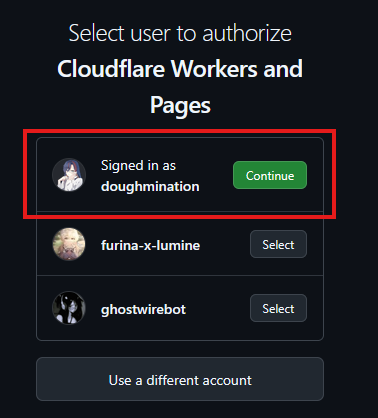
This guide will walk you through the process of making your Lovable Project work on is-a.dev subdomains. Currently Lovable doesn't intergrate directly with is-a.dev, so we have to use GitHub as a proxy with Cloudflare Pages to make this work. We will use the user doughmination for this example.
Connect your project to GitHub
-
Open your project's
Morepage,Settingstab and navigate to theGittab.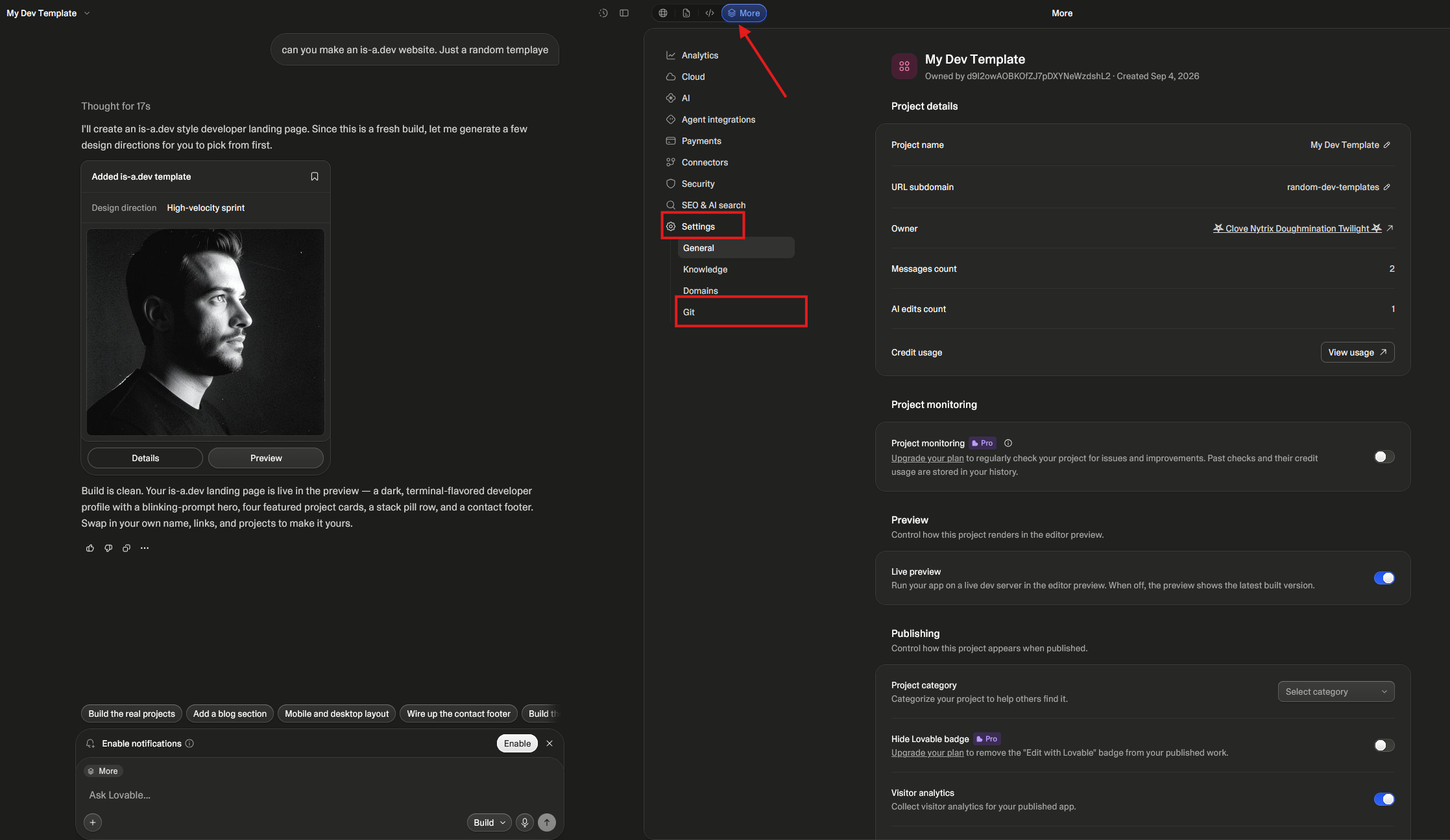
-
Click the
GitHubbutton, andAdd Connection, thenAdd Account.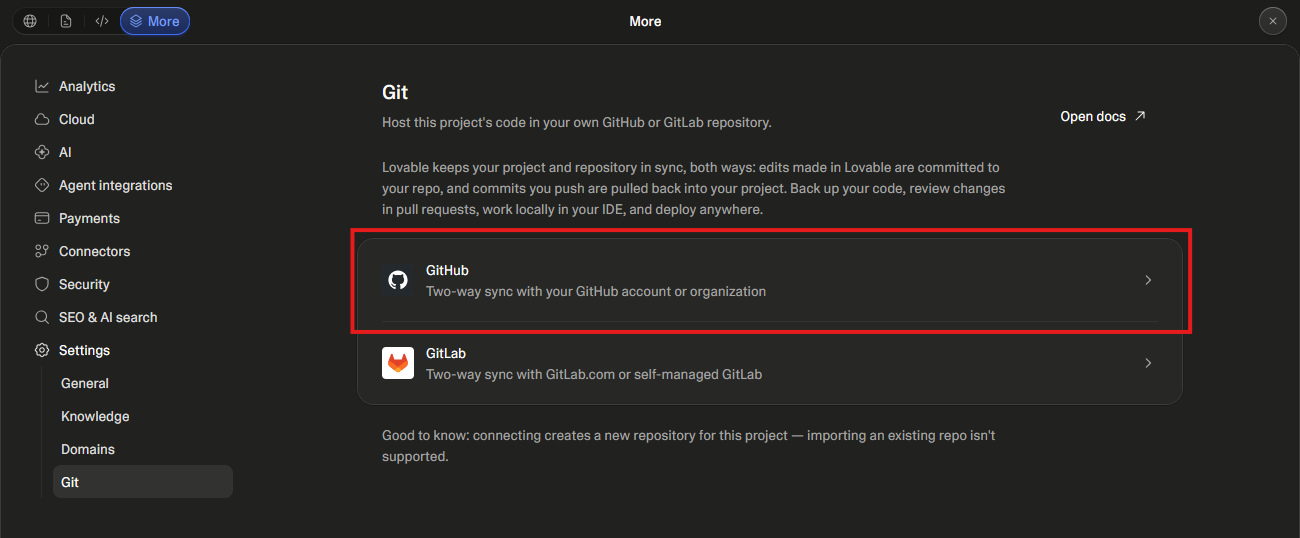
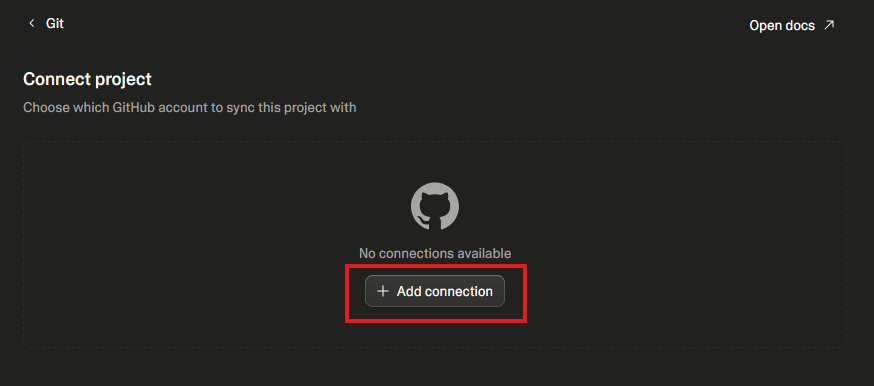 Note: If you login with GitHub, you may already have your account connected
 -
Once you connect the account, click
Connect, which connect to a GitHub repository.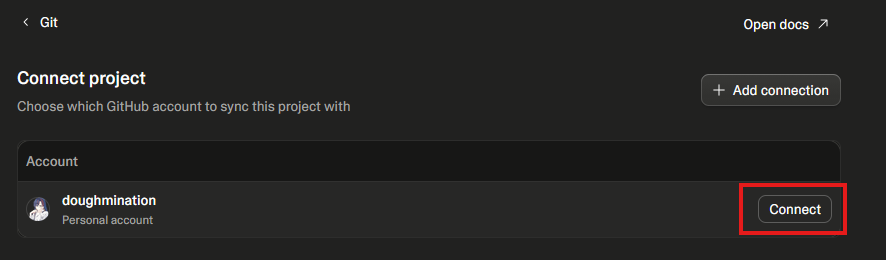
-
You can see it as a recent Private repository. Make a note of the project's name.
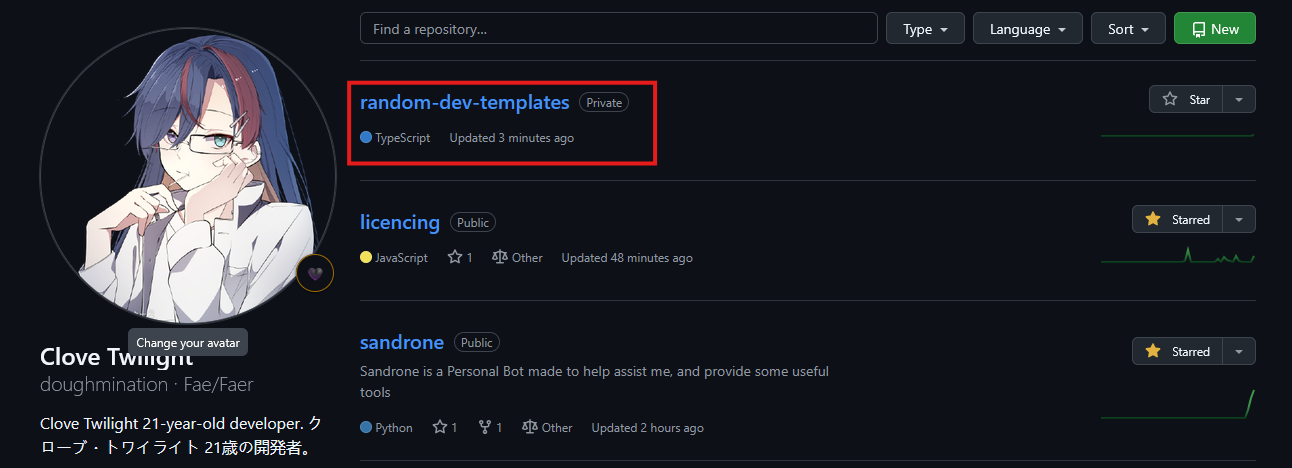
Connect GitHub to Cloudflare Pages
-
Open Cloudflare and under
Build, pressCompute, thenWorkers & Pages.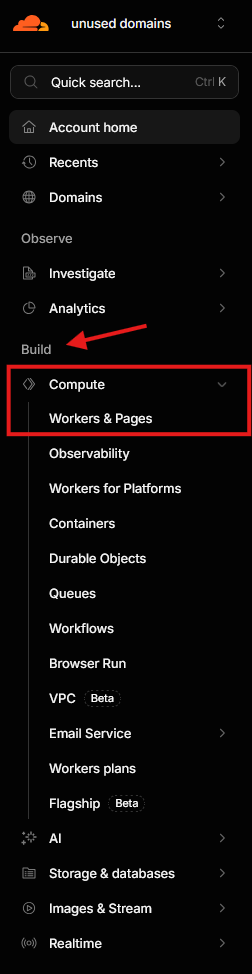
-
Click
Create Application, and then access Pages viaContinue to Pages.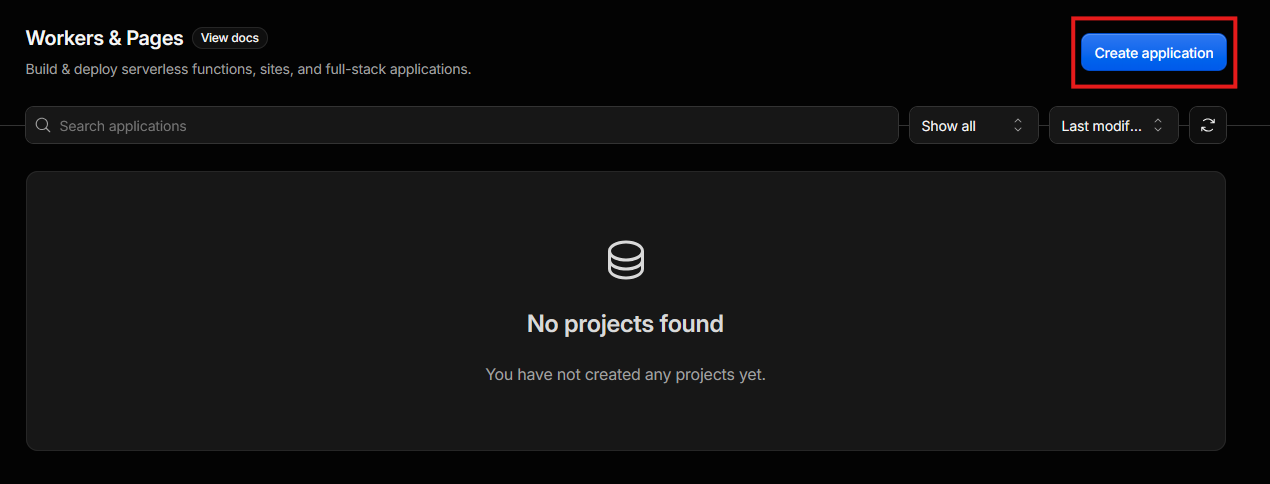
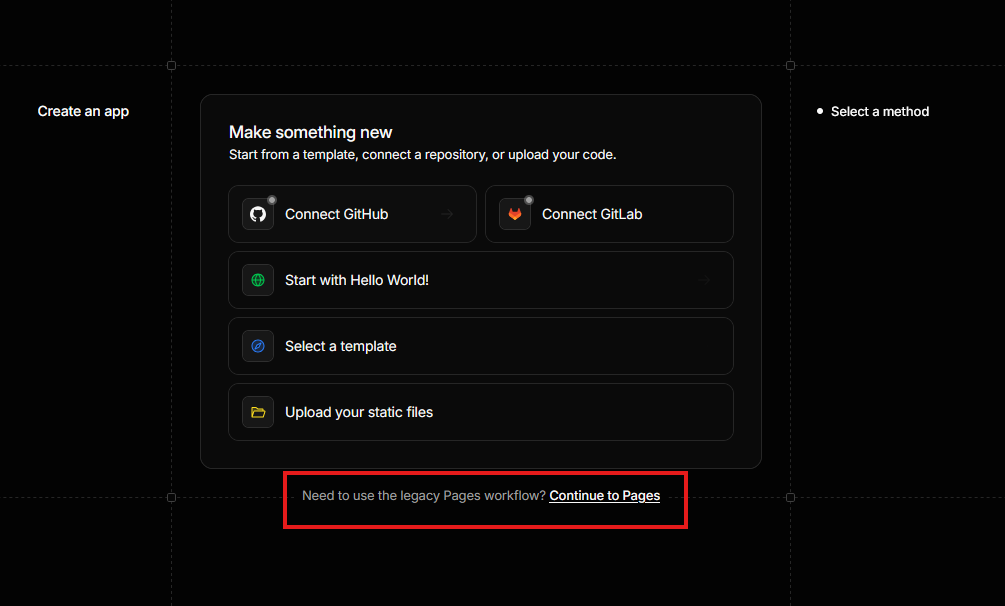
-
Press
Import an existing Git repositoryto access your GitHub account.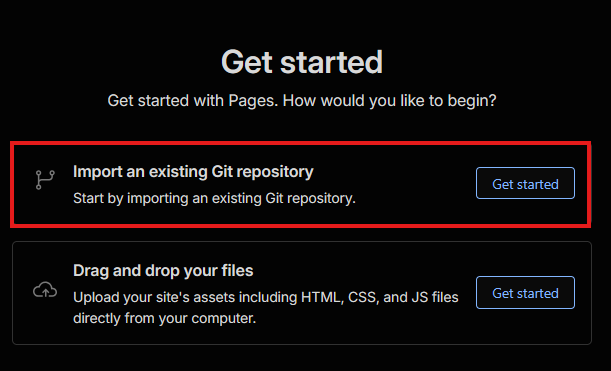
-
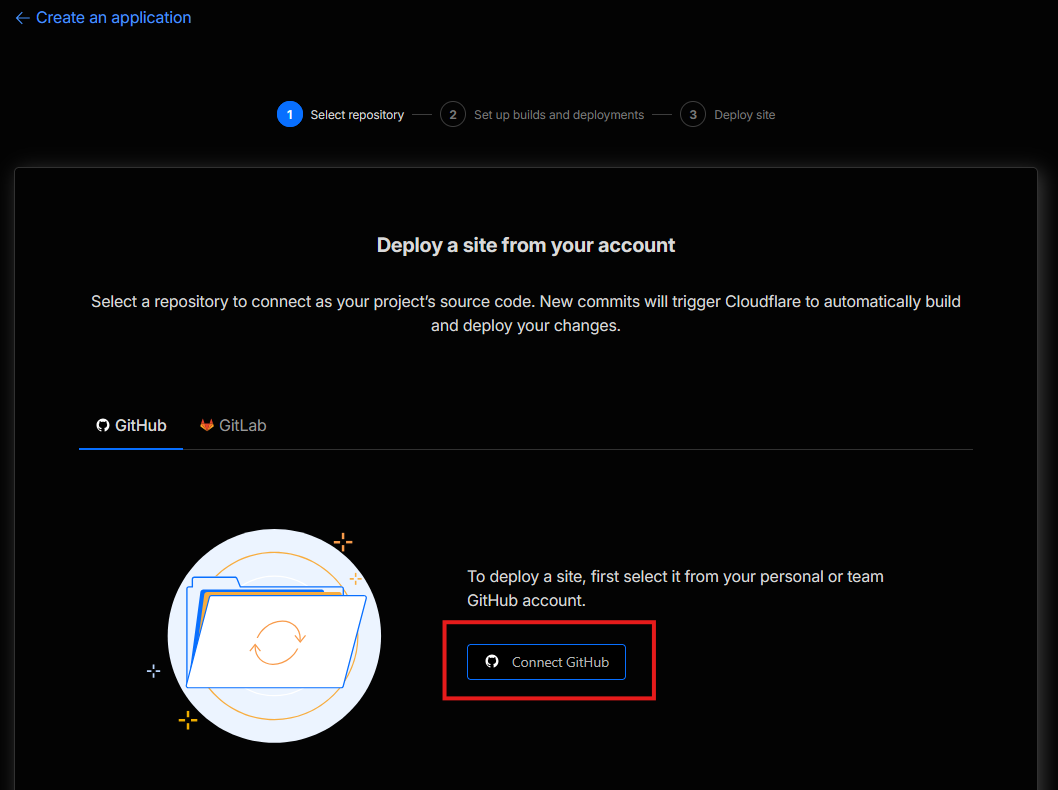
Connect GitHub.
-
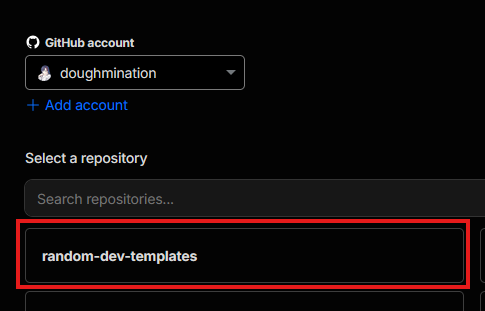
Select your project's name, so we can auto-pull from source.
-
Configure the build to the below settings.
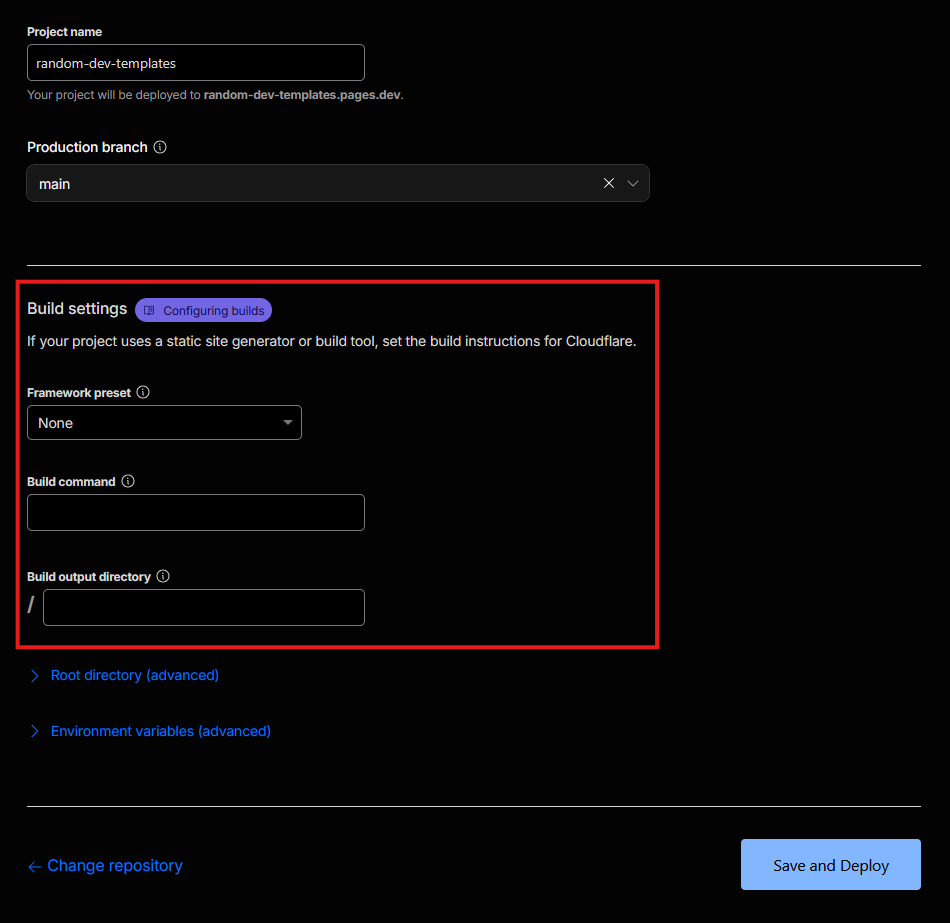
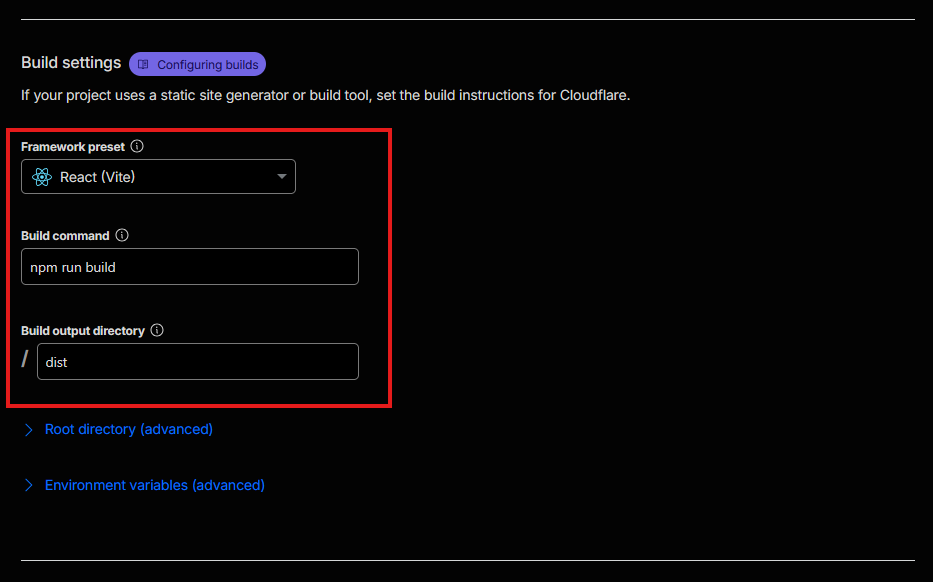
-
Press the
Save and Deploybutton, and carry on the flow.
After the page finishes building, you can now make a PR, for this, please see the Cloudflare Pages guide.