Hashnode Blog
When you create your Hashnode blog, Hashnode provides a free hashnode.dev subdomain for you. However, you can alternatively set up your own is-a.dev subdomain.
In this guide, you will learn how to accomplish this.
-
Log in to your Hashnode account.
-
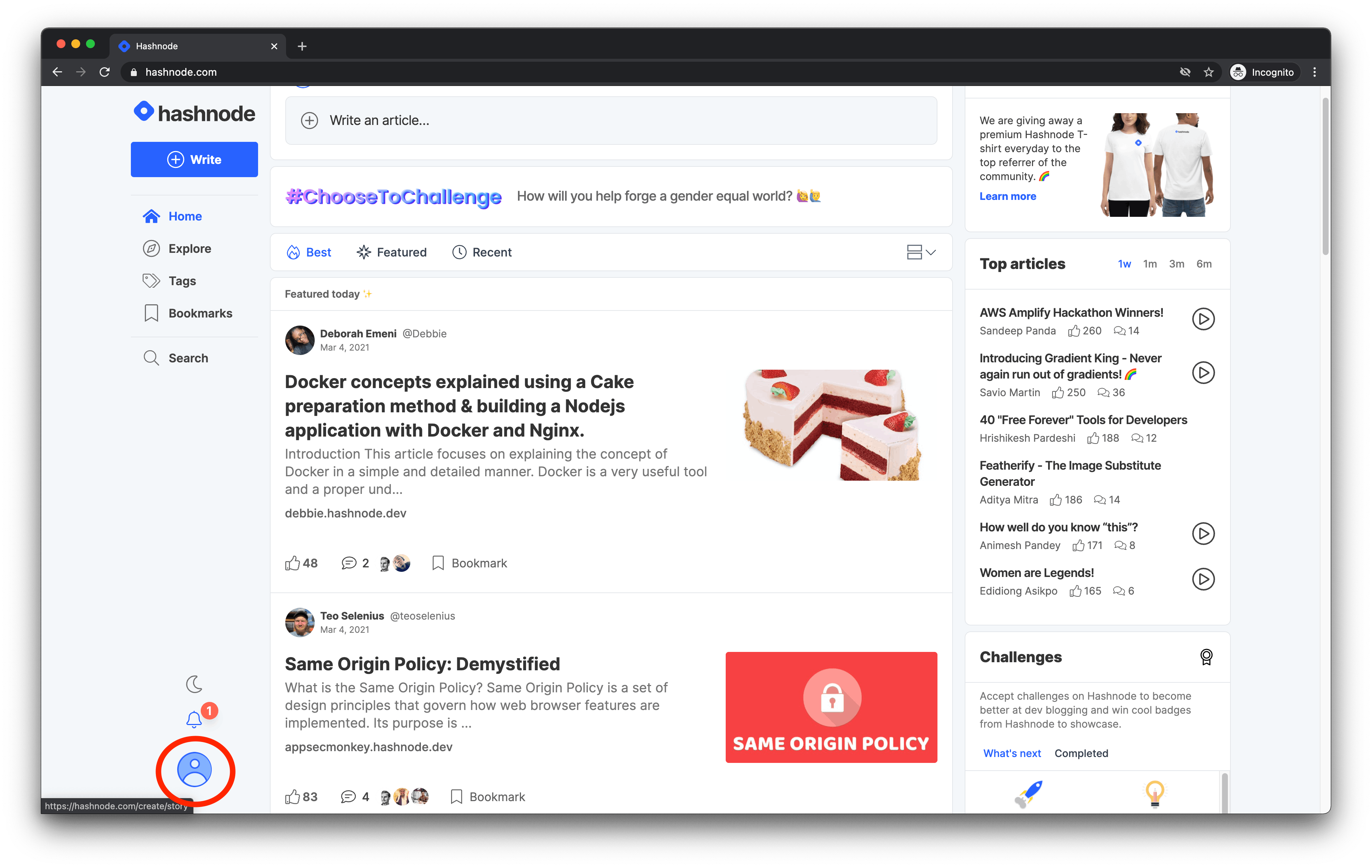
Click on your avatar at the bottom-left corner of the page on desktop or top-right corner on mobile.
-
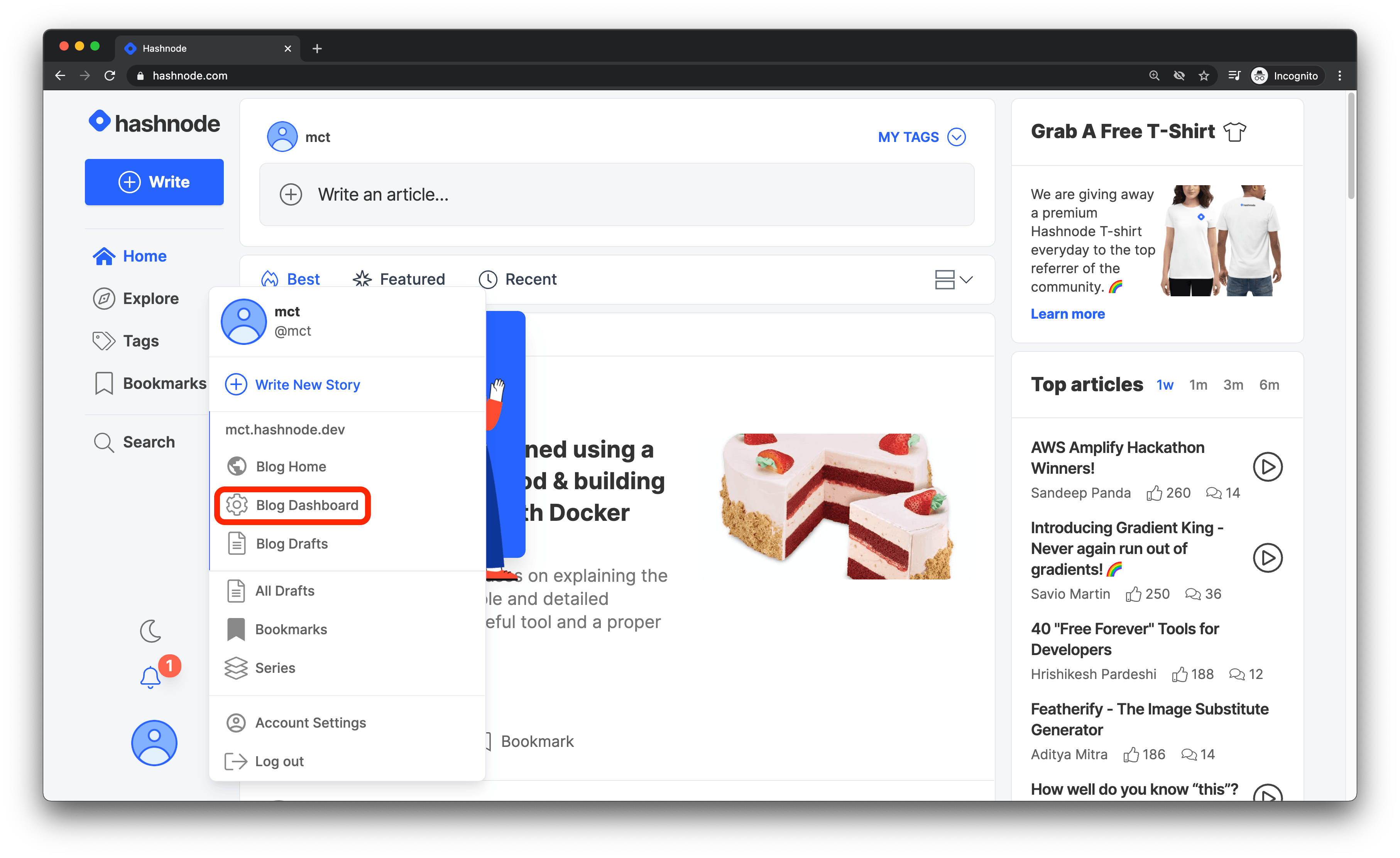
Click on the Blog Dashboard option from the popup modal to access your blog's dashboard.
-
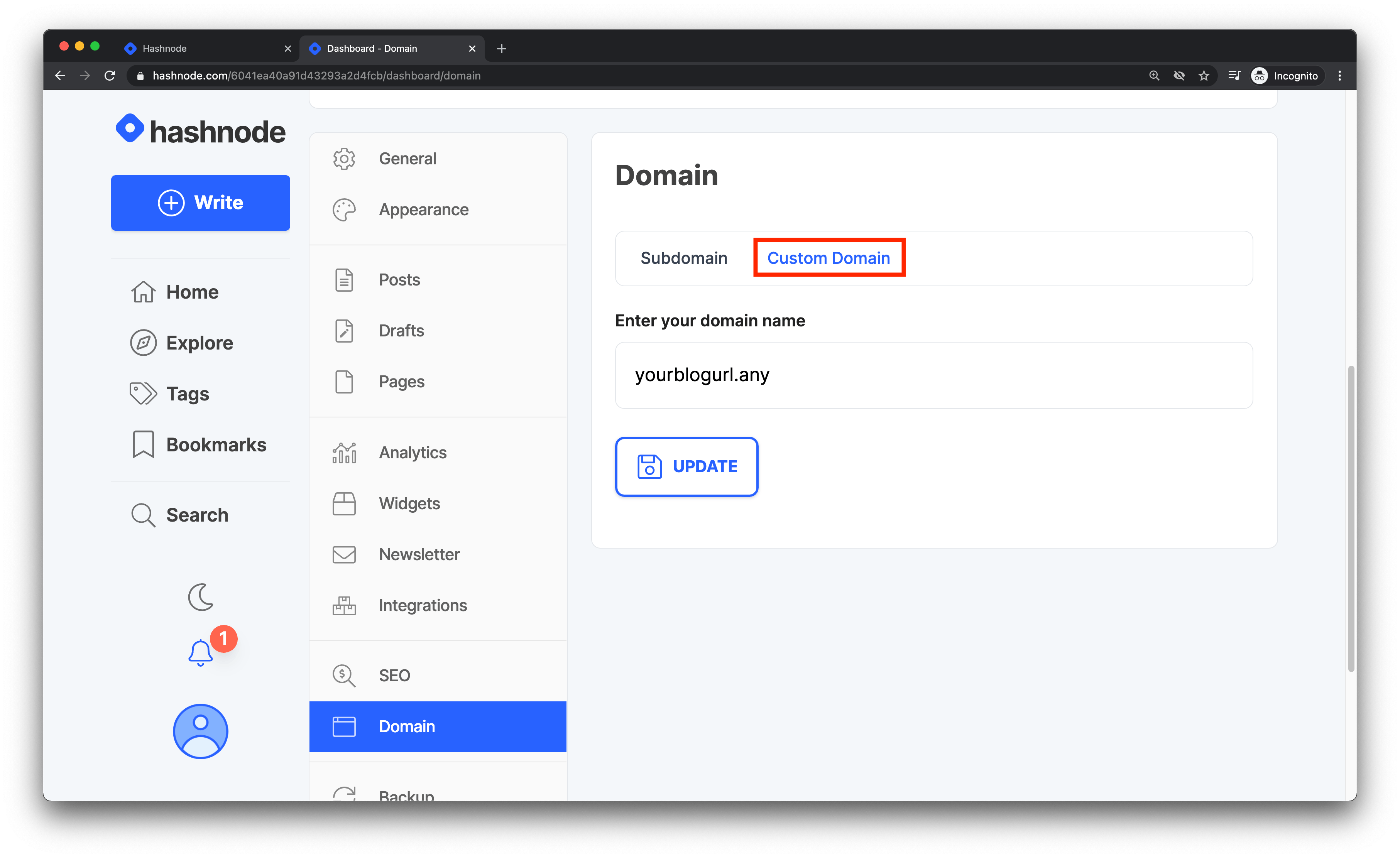
Navigate to the Domain tab and enter your domain without the www or https:// prefix in the text field provided. Then click on the Update button to proceed.
-
Go to your fork of the
is-a-dev/registerrepository, edit your subdomain's JSON file, make sure you remove any old records, then add this to therecordkey and create a PR:
"CNAME": "hashnode.network"Configuration
Once done, your Hashnode blog should be setup to use your subdomain. These changes could take from 1 hour to around 48 hours, so please be patient. It'll most likely be ready within a hour.
Once the DNS has propagated, you can start enjoying your Hashnode blog with your sweet .is-a.dev subdomain!
Need More Help?
If you encounter any issues or need further assistance, consider the following resources:
- Hashnode Domain Mapping Guide: This support article provides detailed instructions on mapping your domain in Hashnode.
- Hashnode Support Center: For more general help related to Hashnode, visit their Support Center.
Please note that is-a.dev is not affiliated with Hashnode. If you're experiencing issues with your Hashnode blog, please seek help through Hashnode's support channels. We are unable to assist with Hashnode-specific issues.