
GitHub Pages
Setting up GitHub pages with an is-a.dev subdomain
This guide will walk you through the process of setting up a GitHub Pages site and pointing your is-a.dev subdomain to it.
Creating a GitHub Pages repository
First, you'll need to create a site on GitHub Pages. Follow the instructions in the GitHub Pages Getting Started Guide.
Creating the domain file
Create a JSON file inside domains directory (domains/subdomain.json) with the following content and submit a pull request:
{
    "owner": {
        "username": "github-username",
        "email": "me@example.com"
    },
    "records": {
        "CNAME": "github-username.github.io"
    }
}
Configuring
- After the pull request is merged, you may see a 404 error on
subdomain.is-a.devor the wrong site. To fix this issue, go to your GitHub pages repository and navigate to: Settings > GitHub pages > Custom Domain and addsubdomain.is-a.devin the given field. Only do this after your pull request is merged. - Check the Enforce HTTPS checkbox below the custom domain input.
- Wait some time and your site should be live!
Verifying your is-a.dev Subdomain with GitHub Pages
Get your verification string
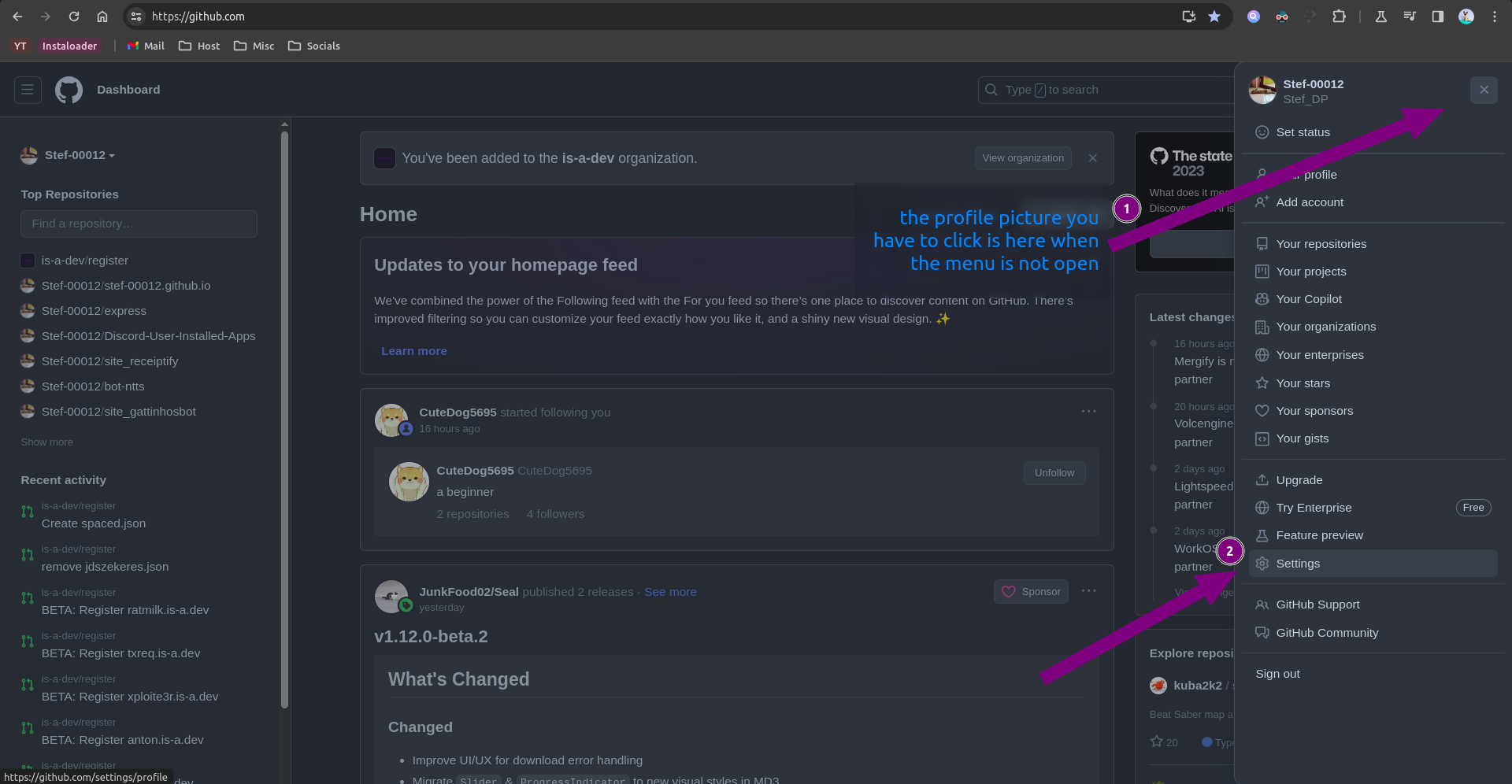
- Navigate to GitHub, press your profile icon at the top right, and press
Settings.
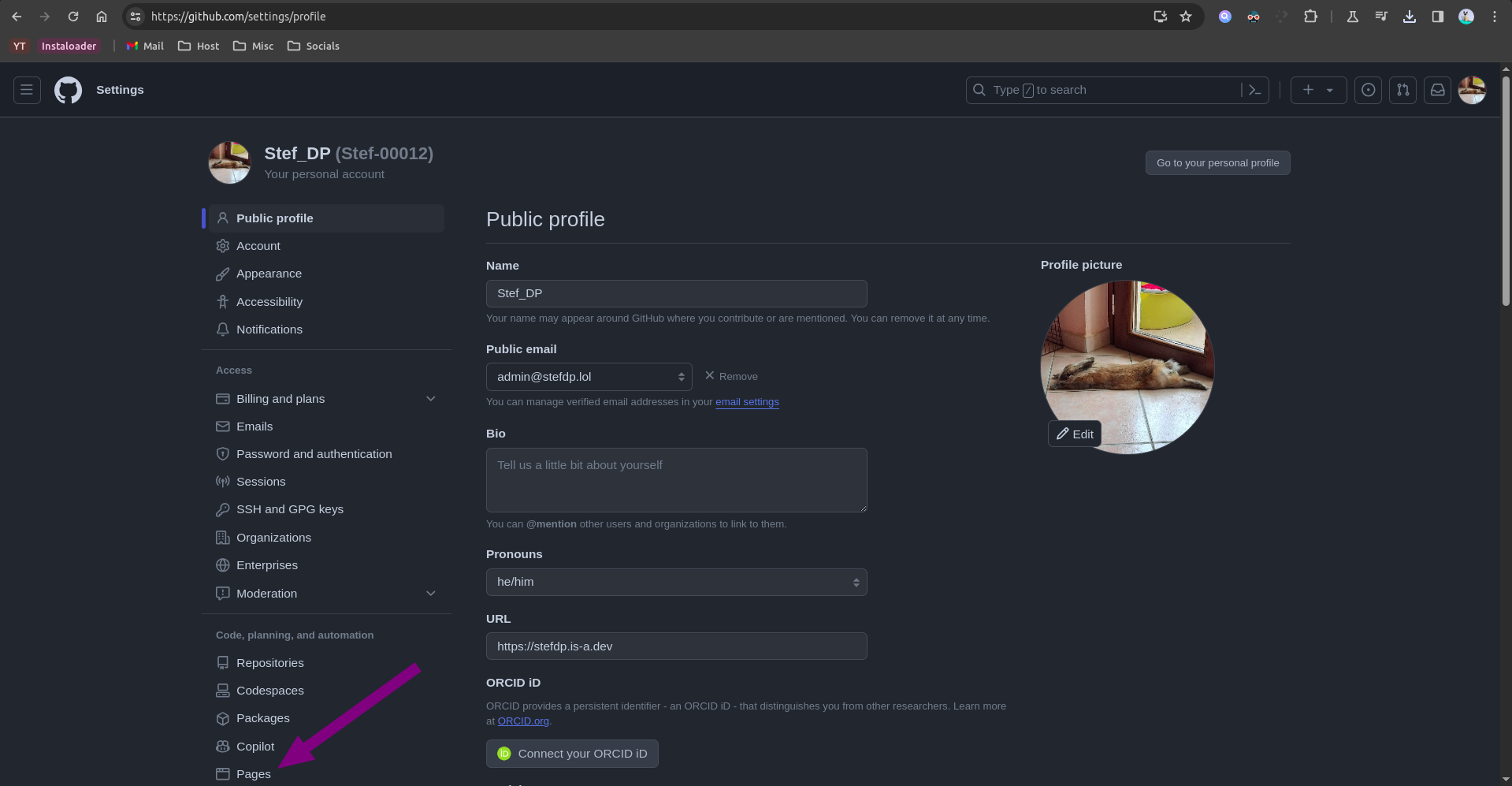
- Press
Pages.
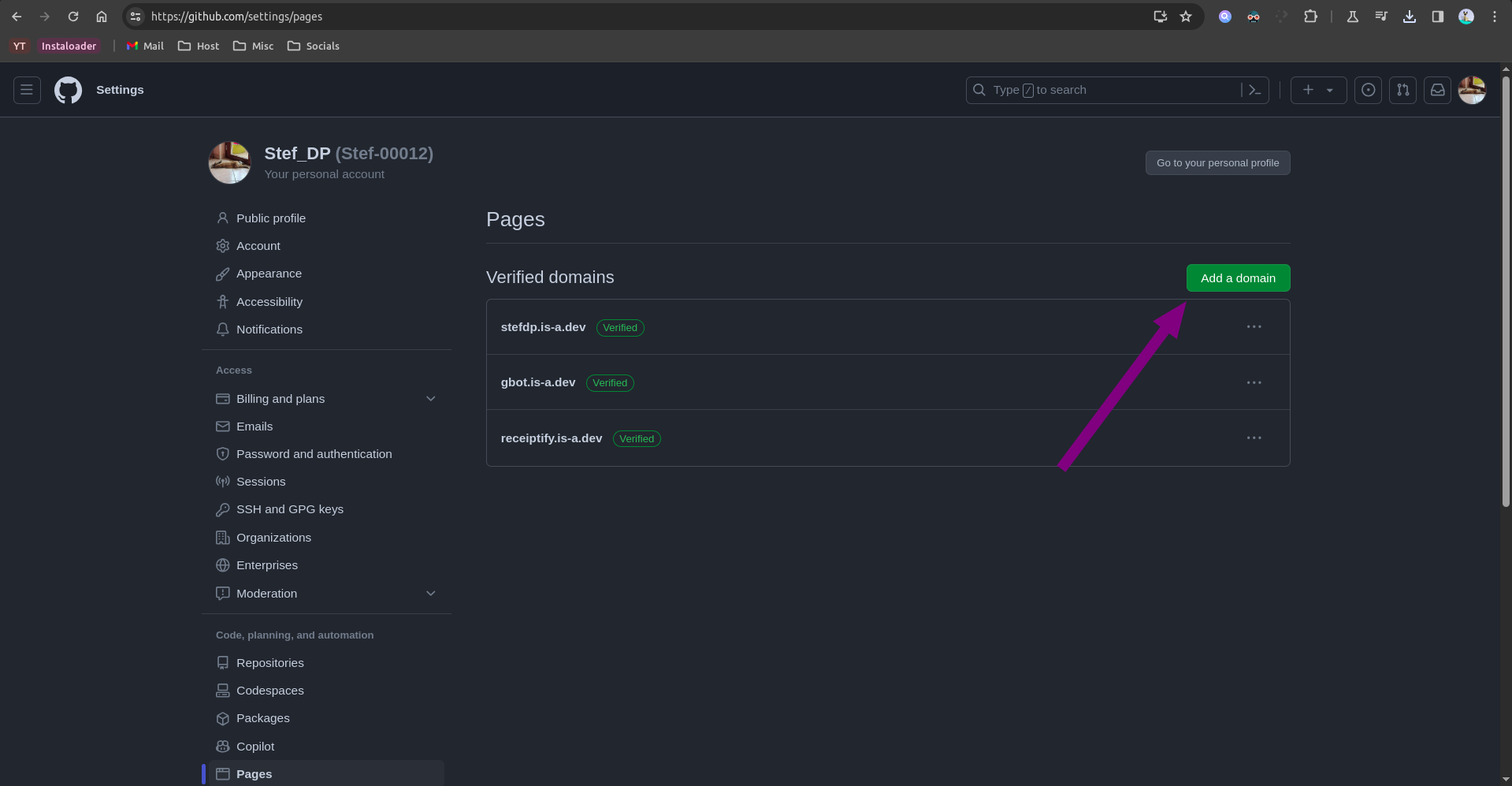
- Press
Add a domain.
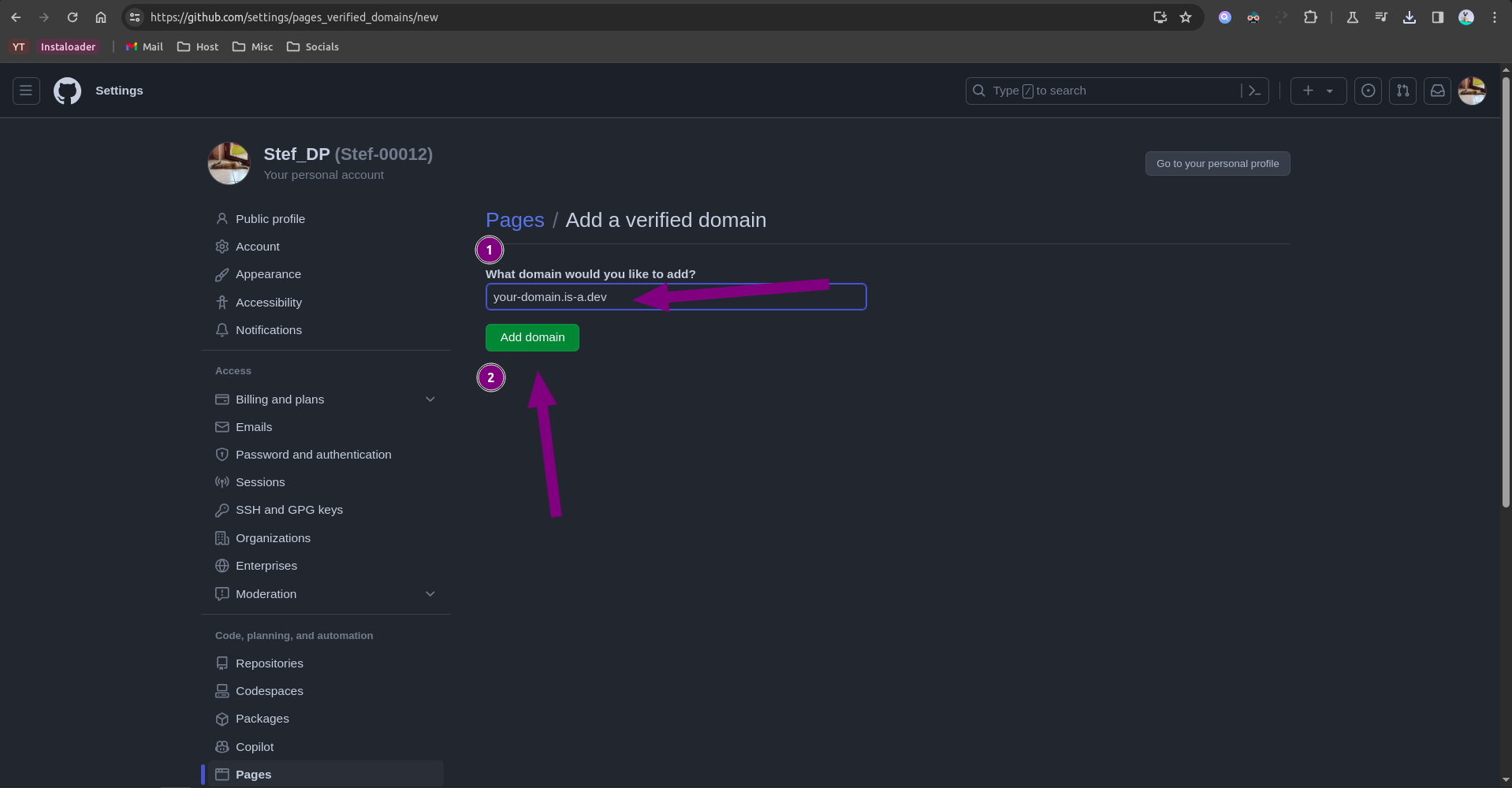
- In the field that appears, type your is-a.dev subdomain name (e.g.
myname.is-a.dev) and pressAdd domain.
- Copy the hostname and the verification string.
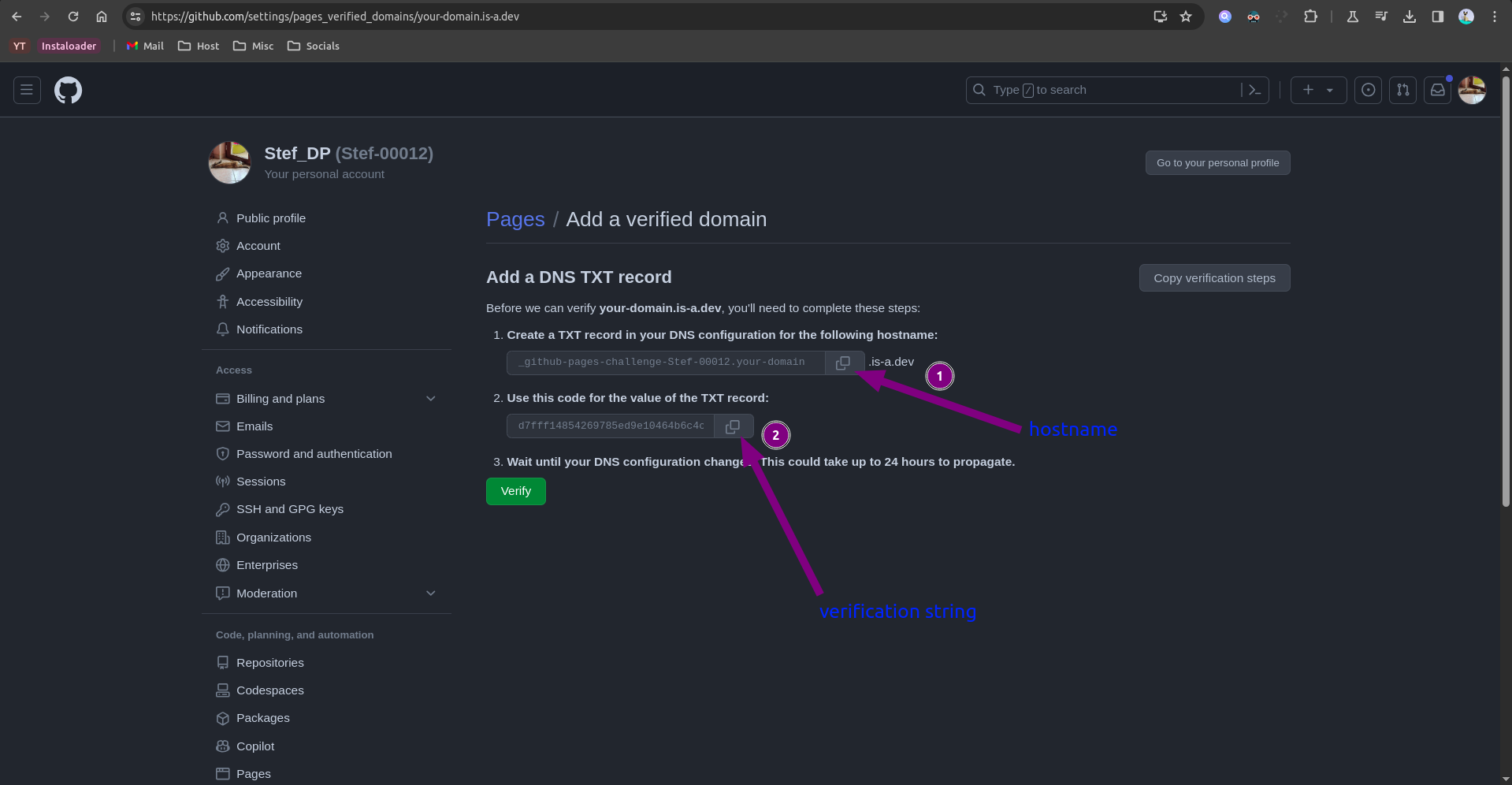
Create the domain file
Create a JSON file inside the domains/ directory called domains/hostname.subdomain.json using the hostname you copied in step 5 and subdomain (subdomain.is-a.dev) with the following content and submit a pull request:
{
    "owner": {
        "username": "github-username",
        "email": "your-email@gmail.com"
    },
    "records": {
        "TXT": "github-verification-string"
    }
}
Configuration
After your pull request has been merged, repeat the steps to get the verification string and press the Verify button.
If it shows an error such as Unable to verify your domain, try waiting a few minutes (sometimes up to 24 hours) as the DNS records may not have propagated yet.