Setting up Discord domain connection with your is-a.dev subdomain
Get your verification string
Open your Discord app and press
Settings.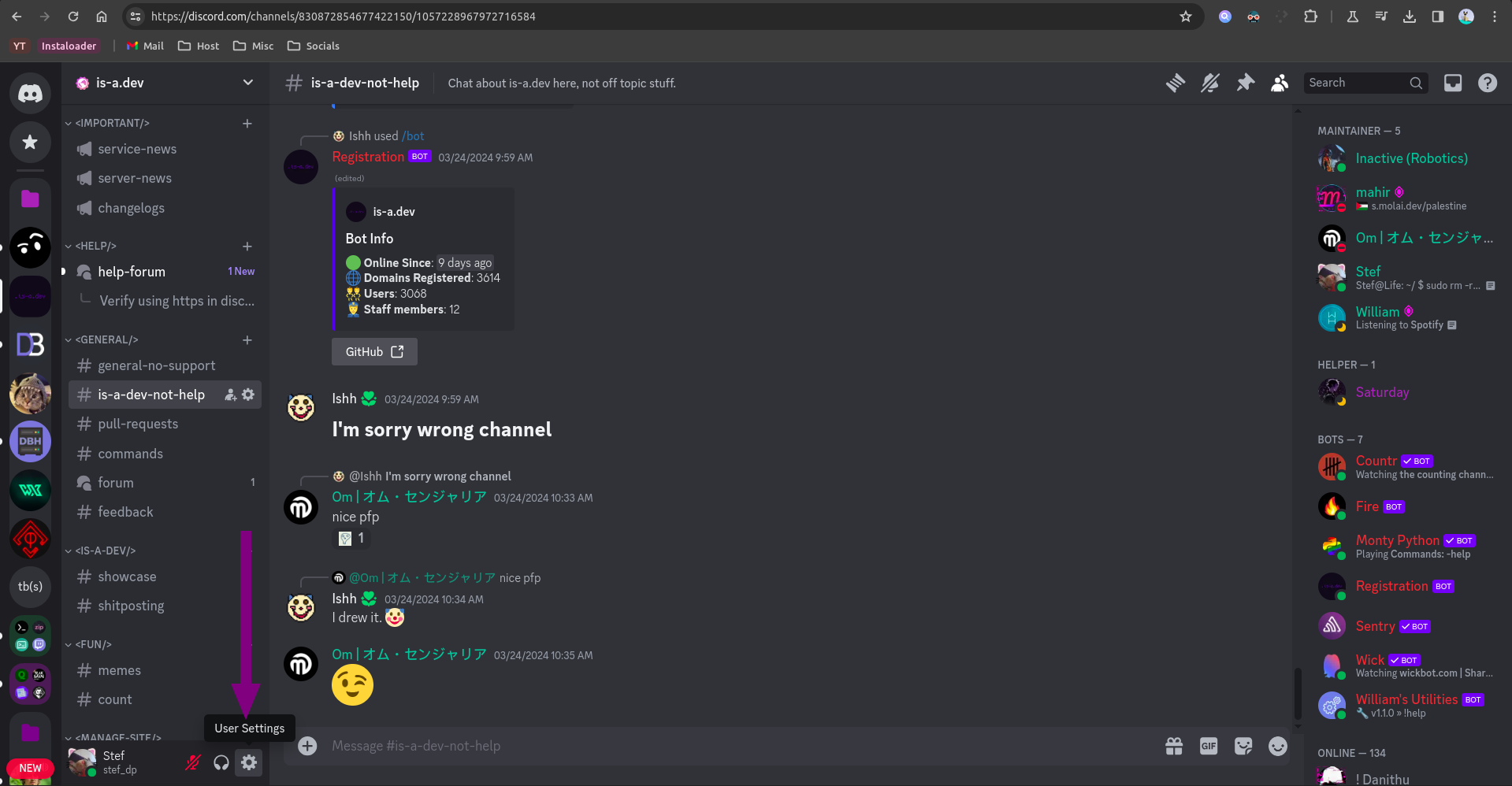
Open the
Connectionssection.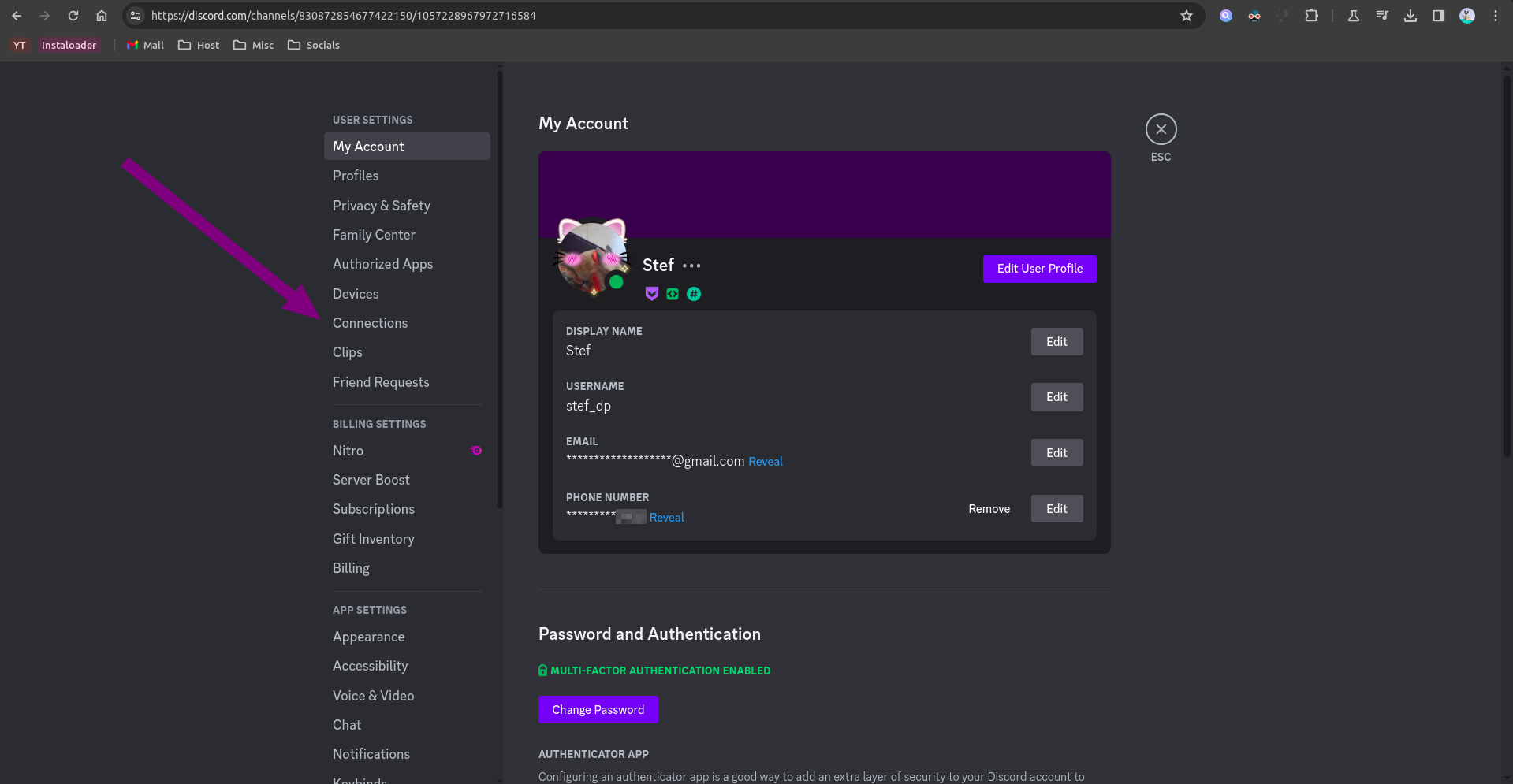
Press the
View morebutton.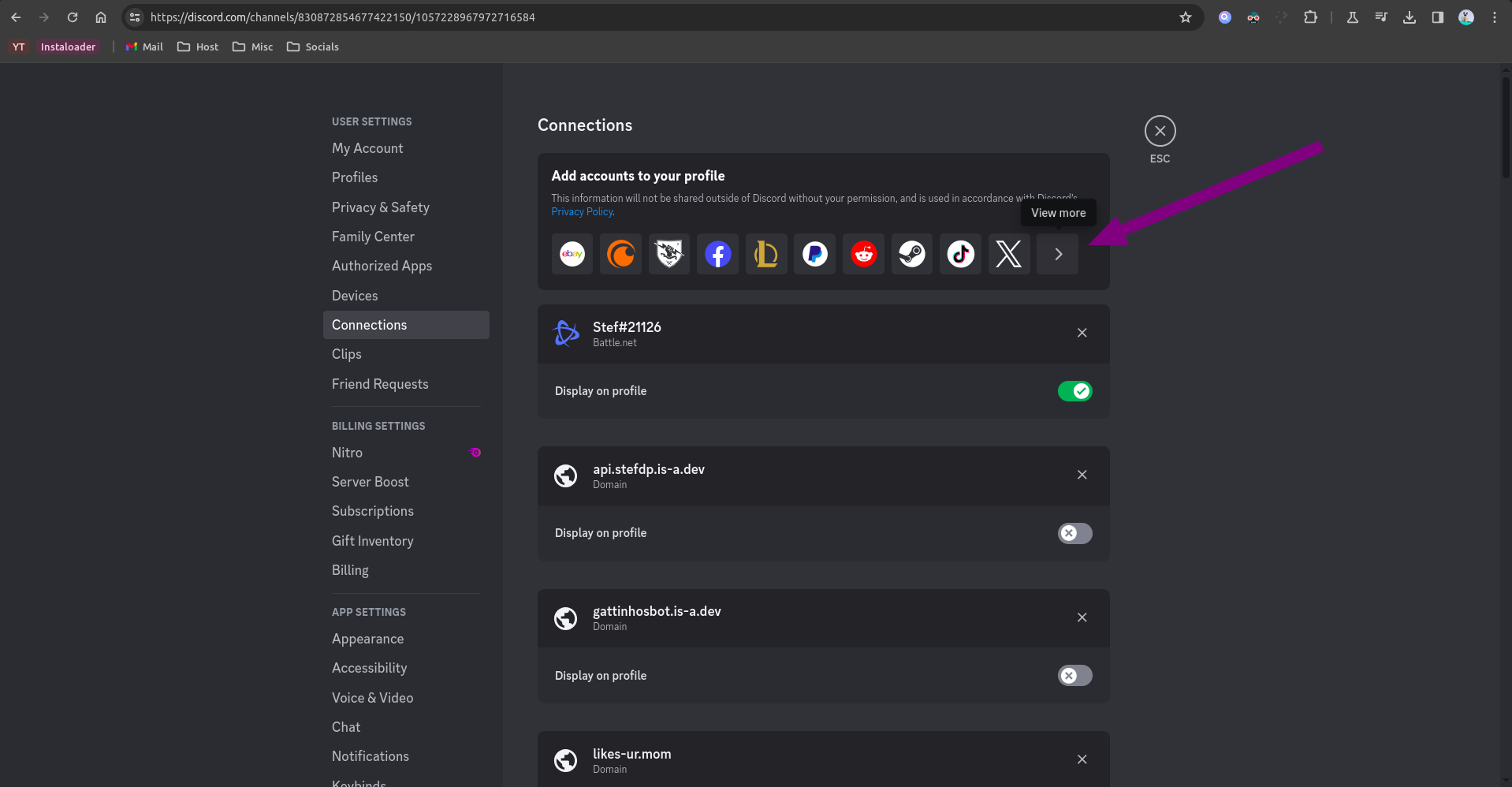
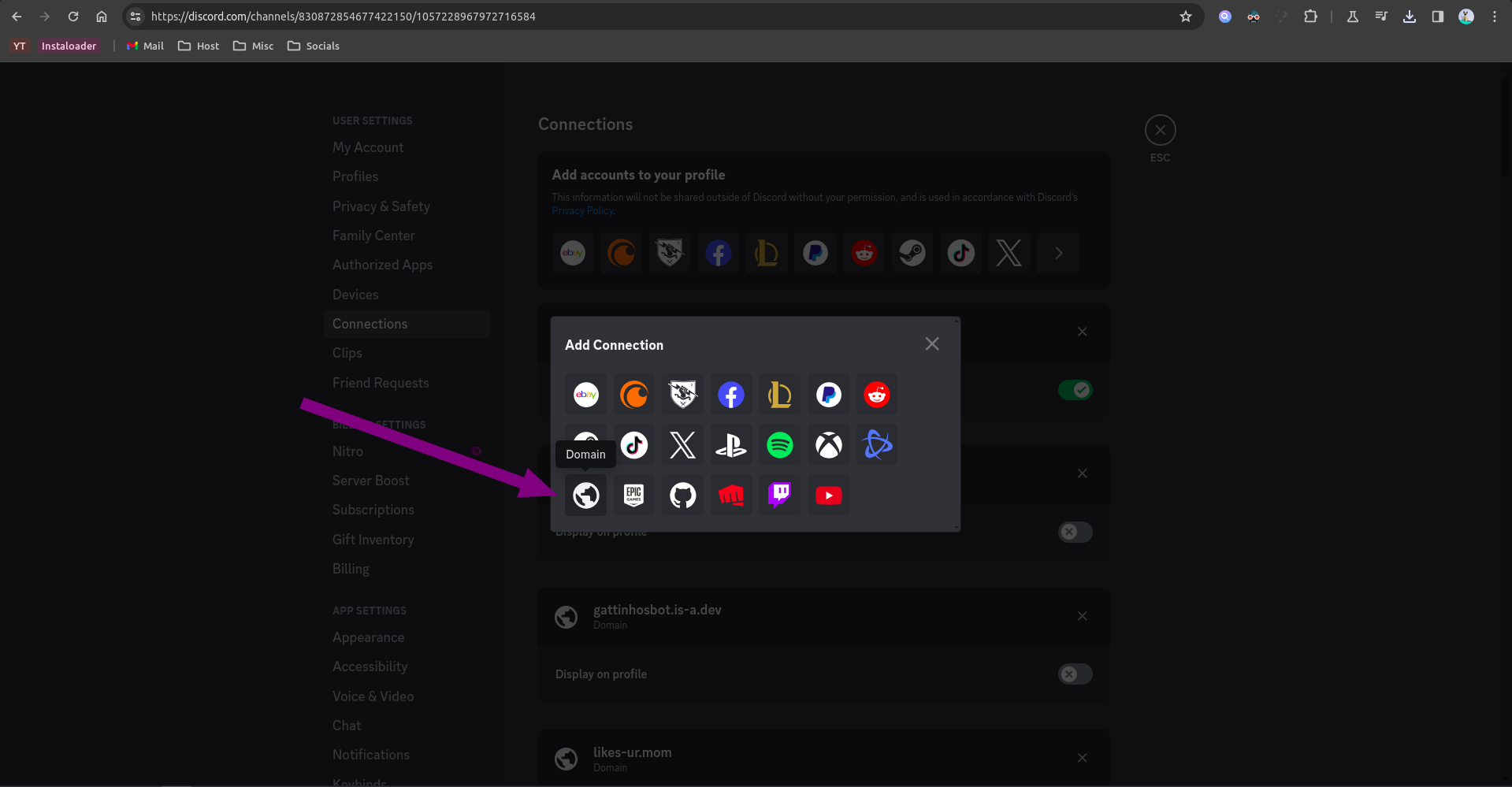
Click on the domain button (the globe icon).
In the field that appears type your is-a.dev domain name (e.g.
your-domain.is-a.dev).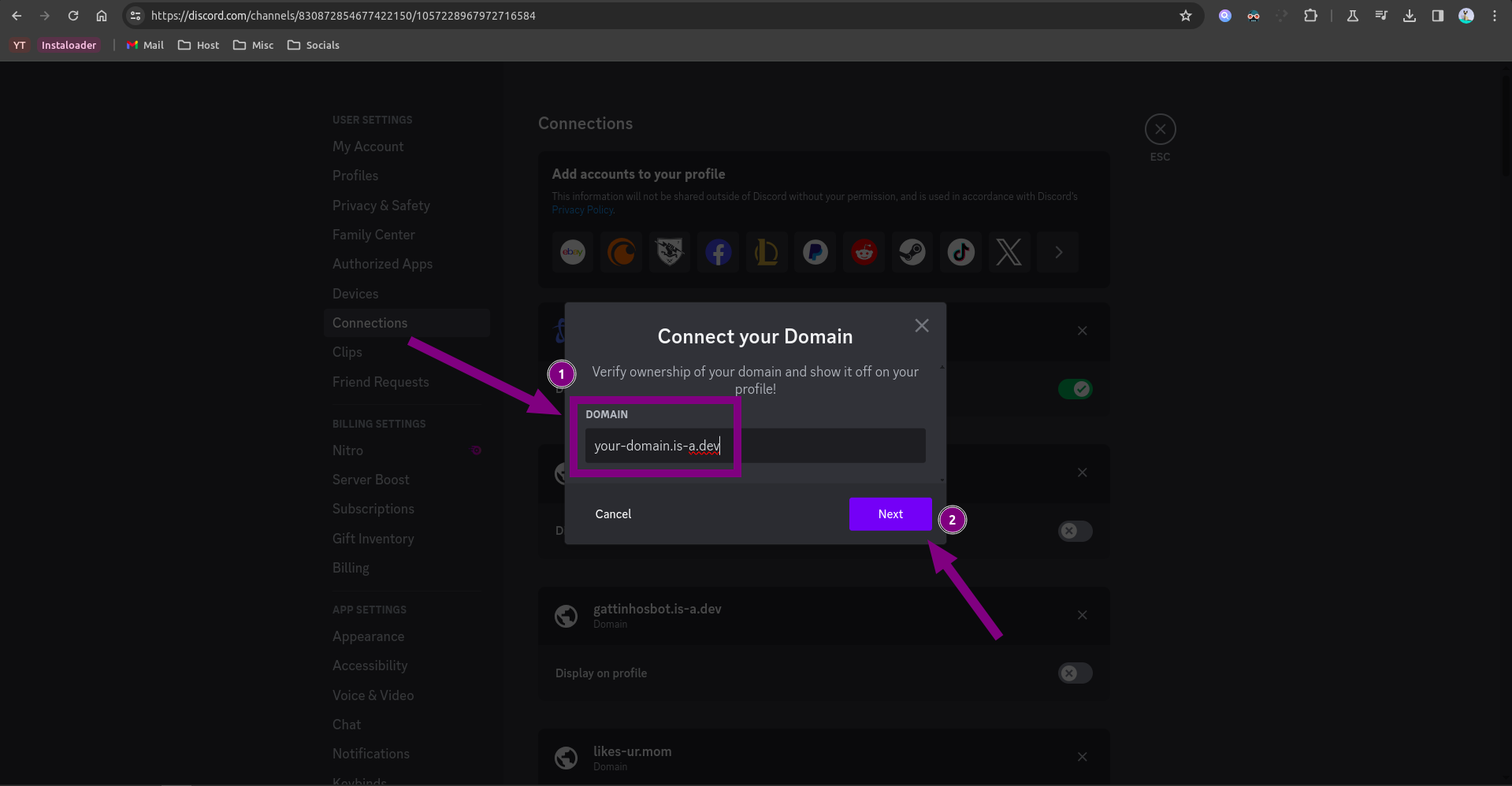
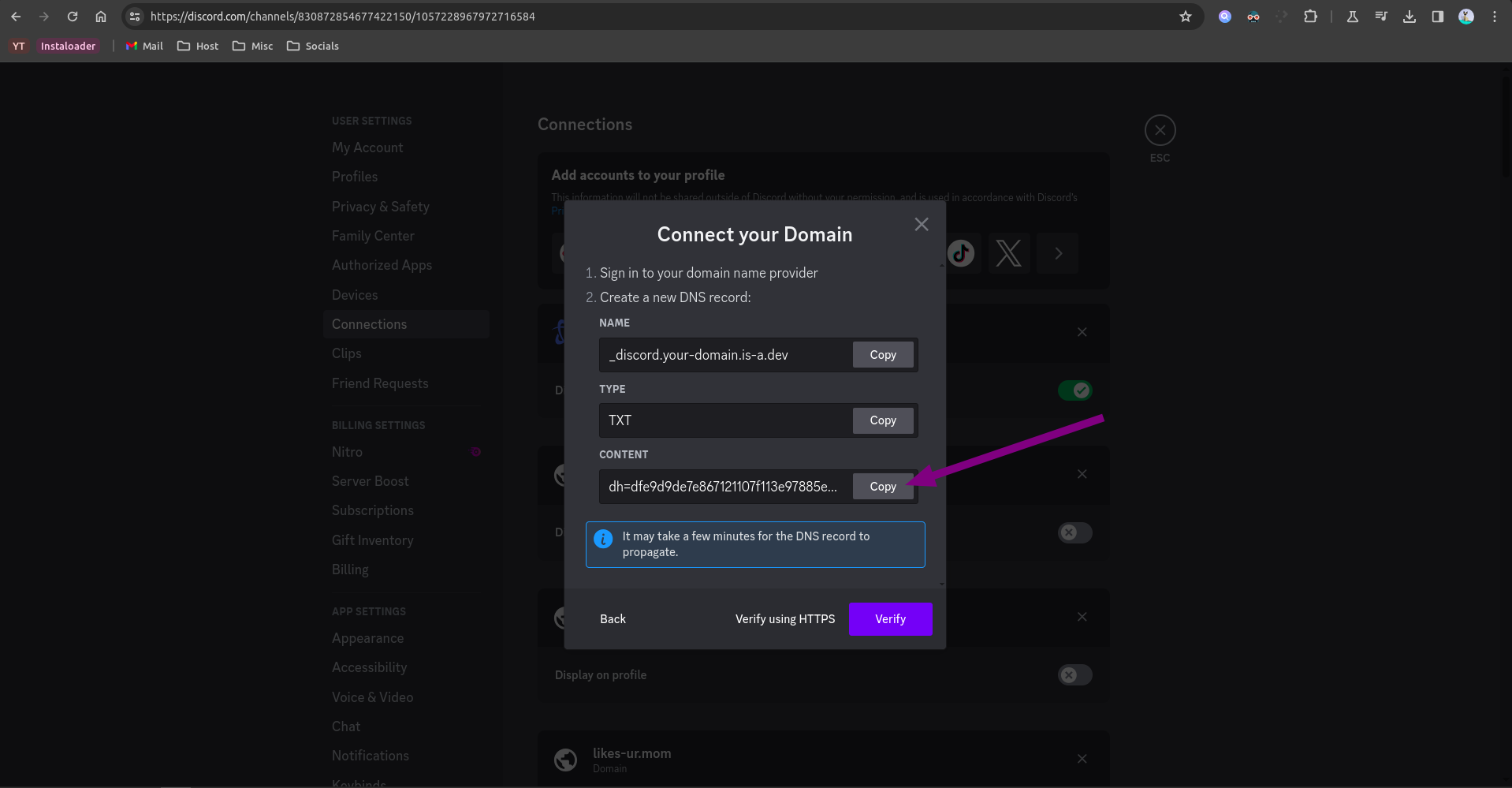
Copy the verification string.
Create your domain file
Create a JSON file inside the domains/ directory called domains/_discord.your-domain.json with the following content:
{
    "owner": {
        "username": "your-github-username"
    },
    "records": {
        "TXT": "discord-verification-string"
    }
}
Note: Don't forget the comma right above the "records" key!
Configuration
After your pull request has been merged, repeat steps 1-5 and press the Verify button.
If it shows any error such as Unable to verify your domain, try waiting a few minutes (sometimes up to 24 hours) as the DNS might not have propagated yet.