This hosting provider has changed a lot in recent times, so this guide may not be up to date with the current system the hosting provider has.
Setting up DanBot Hosting with an is-a.dev subdomain
This guide will walk you through the process of setting up a DanBot Hosting website and pointing your is-a.dev subdomain to it.
Getting Proxy IP
Execute the following command in DanBot Hosting Discord server in the #commands channel.
dbh!server proxyYou will get a reply like this:
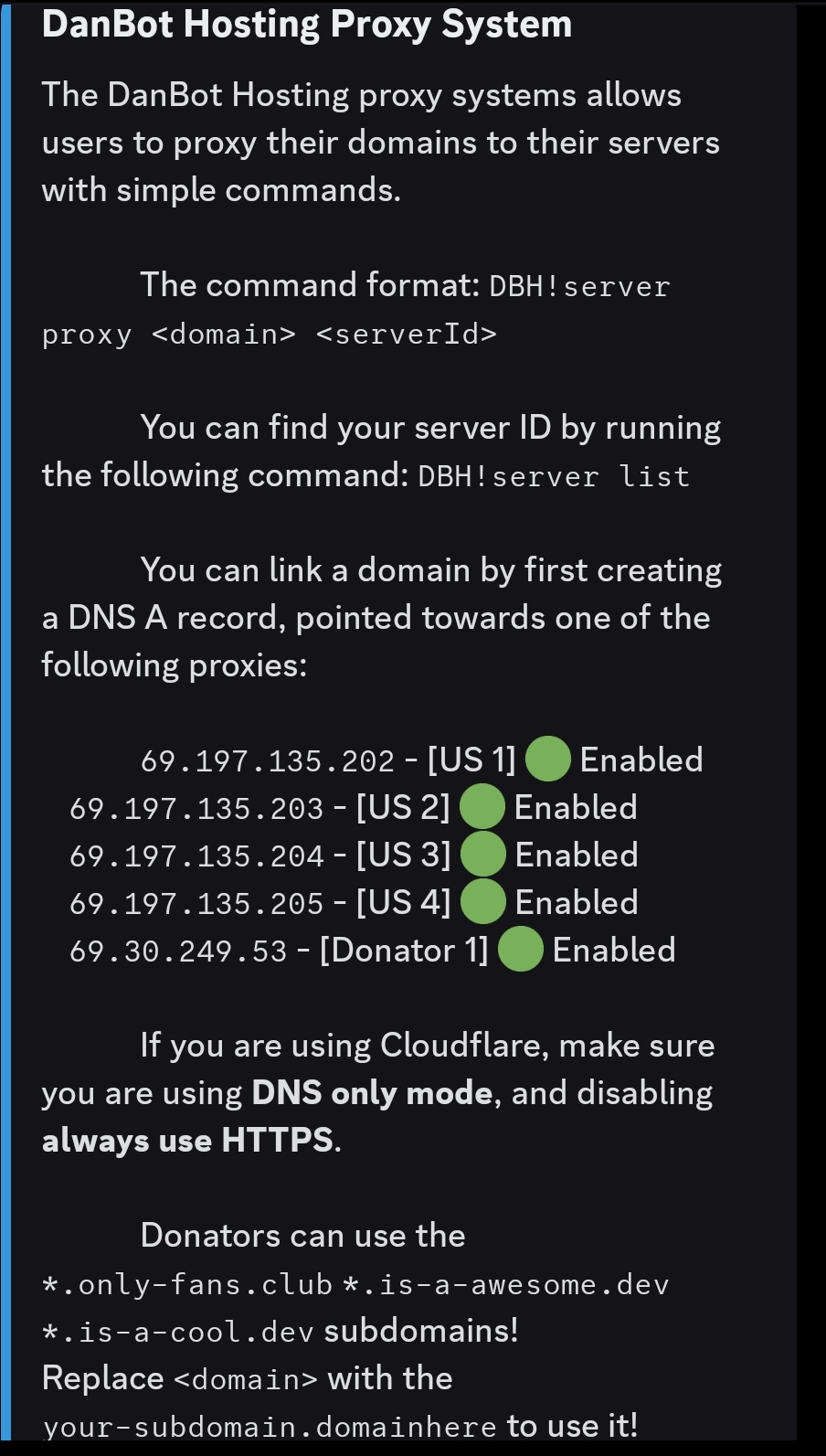
If you are on a free plan, choose any US proxy or you can use the Donator Proxy If you are a Donator, note the IP address of the proxy you chose.
Creating the domain file
Create a JSON file inside domains directory (domains/subdomain.json) with the following content and submit a pull request:
{
    "owner": {
        "username": "github-username",
        "email": "me@example.com"
    },
    "records": {
        "A": ["proxy-ip-here"]
    }
}
Note: In the owner section, you can add any social media handle, such as Discord. If you add another social media account, you may omit the email field. However, the GitHub username is mandatory. Don't forget to provide a preview of your website in your pull request.
Configuring
After your pull request is merged, get your server ID by running this command:
dbh!server listYou will get a reply like this:
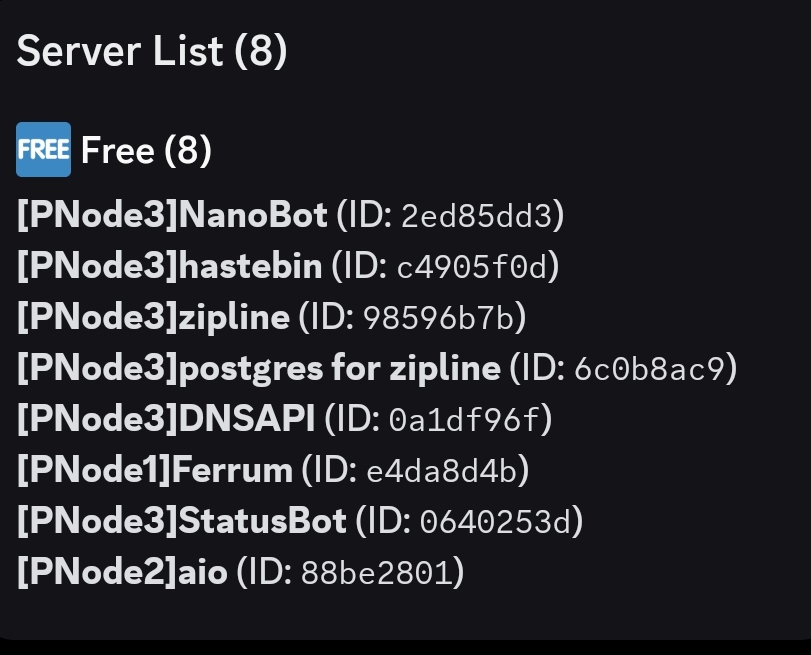
Note down the server ID, then execute following command:
dbh!server proxy your-subdomain.is-a.dev yourserverid